


ABCmouse: Kids Learning Games
4.51.26K Reviews
App Specs
- Version
- 1.73.0
- Updated On
- License
- Free
- Downloads
- 5,000,000+
- Developer
- Age of Learning, Inc.
- Categories
- Education
- Platform
- Android, iOS
Screenshots
 Analysis by AppCompare
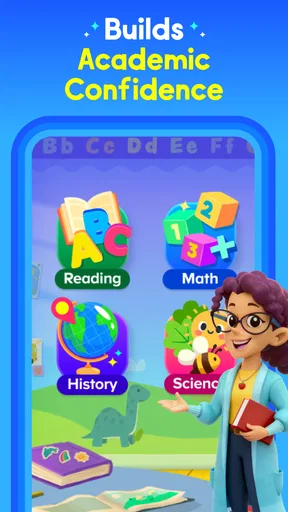
I judge a children’s learning app not just by how many activities it offers, but by how well it fits into a real family’s day. ABCmouse 2: Kids Learning Game is an education app from Age of Learning, Inc., built for young learners who enjoy switching between different kinds of activities. It has a broad range of subjects, including reading, math, science, art, and music, which gives a child more to explore than a single-skill practice tool. In my view, that variety is its biggest draw—and also something parents may need to guide so a short learning session doesn’t turn into an aimless stretch of screen time.
What to expect when the connection matters
The app is free to install, but some purchases are available inside it, with individual items ranging from $3.99 to $104.99. I’d check the purchase options before handing over a device, especially if a child can navigate screens independently. The distinction matters in everyday use: free access gets you started, while the presence of in-app purchases means it is worth setting clear expectations about what is and isn’t available without buying anything.
Because this is a large, varied learning app, I would treat internet access as part of planning rather than assume every activity will behave the same way in every setting. If you’re preparing for a trip or a place with unreliable service, open the app beforehand and see what is ready to use on that device. I would not make a long ride depend on an activity loading at the last minute. That small check is more useful than promising a child that every part will work wherever you go.
A better fit for planned sessions than emergency entertainment
For a typical home routine, I’d use it after a snack or before a quiet activity: let the child choose a subject, stay nearby while they get oriented, and agree on a stopping point before they begin. A parent can turn the range of topics into a simple prompt—“Would you rather read, count, or make something?”—instead of leaving a young child to browse indefinitely. That helps the app serve a learning purpose, rather than simply filling time.
It can also suit a shared-device household, but I’d make the handoff deliberate. A child who has just been working on letters and a sibling who wants a different activity may not have the same goal. Taking a moment to check what is on screen, then letting the next child choose a fresh task, can prevent the app from becoming a source of arguments or confused progress. The useful habit is not complicated: treat each session as its own small activity, with an adult available when a child needs help choosing or understanding what to do next.
When a session stalls
If an activity takes longer than expected to open or the connection drops, I’d avoid repeated tapping and give the app a moment before trying again. Young children can interpret a stalled screen as a problem they caused, so a calm explanation and a different offline activity nearby can keep a minor technical pause from becoming a bigger frustration. Once the app responds again, it makes sense to check where the child left off rather than assume the previous task completed.
This is also why I wouldn’t make it the only plan for keeping a child occupied away from home. A book, drawing supplies, or a simple conversation game are better backups when a device is low on battery, service is patchy, or the child has had enough screen time. ABCmouse 2 can be one useful option in a parent’s toolkit without having to carry the whole outing.
Worth Reading Before You Choose

EA SPORTS FC Mobile 26 Is a Bigger Football Game, but It Takes Time

Flipboard Shows What News Apps Must Do Beyond the Feed

Switching to Android Auto Means Rethinking Your Driving Routine

Google Calendar Makes a Crowded Week Easier to Manage

Ludo King Makes the Most of the Minutes Between Plans

Baby Panda World Brings Quick Play to Modern Phones, but Its Game Library Feels Busy
Making the most of a broad library
The app’s scale can be a strength for a child who likes variety, but a large choice of activities can be overwhelming for someone who is still learning how to make decisions. Rather than pointing out every subject at once, I’d offer two choices and let the child pick. That keeps the decision manageable and gives a parent a chance to notice whether a particular activity holds attention or feels too difficult.
For families comparing it with free video lessons, standalone letter or number games, or printed workbooks, the trade-off is breadth versus focus. A video may be easier when a child only needs a brief explanation; a focused practice app may be more direct for one skill; and paper activities avoid device distractions altogether. ABCmouse 2 makes more sense when you want several learning areas in one place and are willing to help a young child navigate that variety. It is less compelling if your goal is a single, tightly defined lesson or a screen-free routine.
The app is aimed at children and carries an Everyone content rating. I’d still choose activities with the child’s age, patience, and current ability in mind rather than treating that rating as a guarantee that every task will suit every learner. It’s a good candidate for parents who want an engaging starting point across early learning subjects, but less suitable for a child who becomes frustrated by on-screen choices or needs sustained one-to-one teaching. In those cases, a parent-led activity or a more narrowly focused resource may be a better match.
On the practical side, it has more than 1 million installs and an average rating of 4.6 from around 14,000 ratings, with about 500 written reviews. It was released on February 14, 2025, and version 1.52.0 lists Android 6.0 as its minimum operating system. Those details make it easier to check basic device compatibility, but I’d still confirm that the app opens and runs comfortably on the particular phone or tablet your child will use.
My connectivity verdict is straightforward: use it where you can supervise the session and give the app a moment to load, and keep a non-digital backup for uncertain network conditions. I wouldn’t choose it on the assumption that every activity is available offline. The free starting point, wide subject mix, and child-friendly presentation make it worth considering, while in-app purchases and the need to manage choice are real points to weigh. If your family wants a flexible learning app and can build it into a calm routine, it may be a helpful addition; if you need guaranteed access everywhere or a single-purpose lesson, another option may fit better.
What Makes ABCmouse 2 Stand Out?
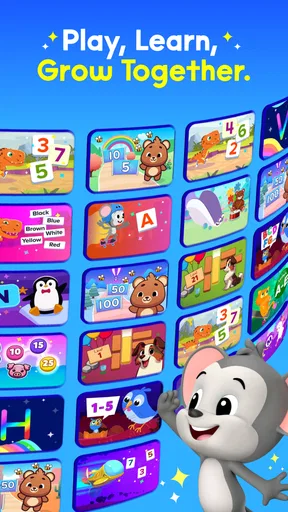
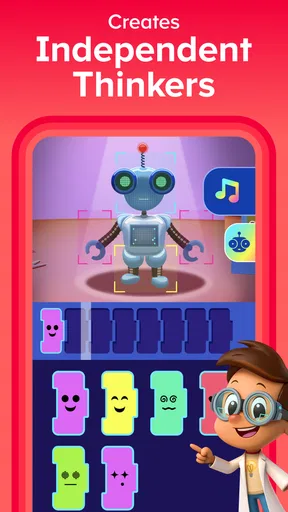
The first thing I noticed about ABCmouse 2 is how engaging it is right from the get-go. It’s like a magical learning playground designed specifically for young minds. The app is jam-packed with activities that cover everything from reading and math to art and music. It's like having a virtual teacher in your pocket!
One of the coolest features is the step-by-step learning path. It allows kids to progress at their own pace, making it super personalized. This path guides them through various subjects, ensuring they don’t miss out on any critical learning points. It’s like having a customized education plan without all the paperwork!
Interactive Learning at Its Best
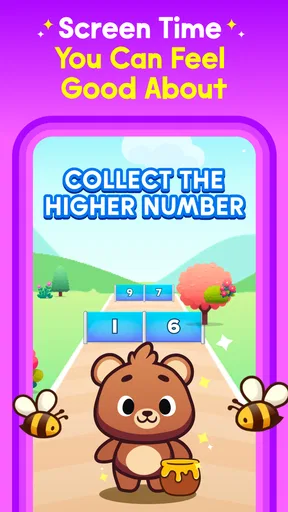
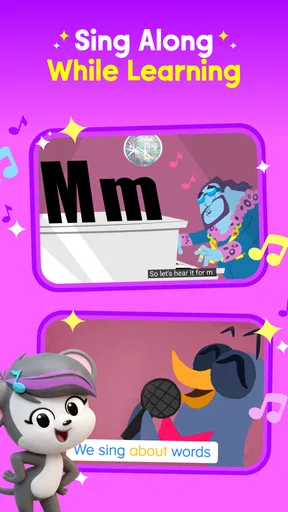
Now, let’s talk about the interactive element. The app is full of animations that are not just eye-catching but also educational. My kids were particularly fond of the puzzles and games that sneakily teach them new concepts while keeping them entertained. It’s a win-win.
There’s also a rewards system that motivates kids to keep going. With each completed task, they earn tickets which they can use to "purchase" virtual goodies. Trust me; this is a brilliant way to keep them coming back for more learning fun without any nagging!
User-Friendly Interface
For all the tech-challenged parents out there, fear not! The interface is as user-friendly as it gets. It’s designed to be intuitive, so even if your child is just starting with apps, they’ll have no trouble navigating through the activities. And if they do hit a snag, the help section is just a tap away.
Safety and Peace of Mind
As a parent, safety is always a concern, and ABCmouse 2 takes this seriously. The app is ad-free, ensuring that your kids aren't exposed to unwanted content. Plus, it doesn’t require internet access to play, meaning it’s perfect for long car rides or when you’re out of Wi-Fi range.
What’s more, the app’s content is meticulously curated by educators. So, you can rest easy knowing your child is engaging with quality material that aligns with educational standards.
Final Thoughts
After watching my kids explore and learn with ABCmouse 2, I can confidently say it’s a fantastic tool for early childhood education. It combines fun and learning seamlessly, keeping kids engaged while boosting their skills. If you’re looking for an app that offers more than just screen time, this might just be it.
So, go ahead and give it a spin. You can thank me later when your little ones start showing off their newfound knowledge!
Pros
- Wide range of educational content.
- Engaging for children with fun activities.
- Parental controls are easy to use.
- Regular updates with new content.
- Ad-free experience ensures focus.
Cons
- Monthly subscription can be costly.
- Requires internet for full features.
- Limited content for older kids.
- Some activities feel repetitive.
- Initial setup can be time-consuming.
FAQs for ABCmouse: Kids Learning Games
What age group is ABCmouse 2: Kids Learning Game suitable for?
ABCmouse 2 is designed for children aged 2 to 8 years. It provides a comprehensive curriculum that supports early learning in reading, math, science, and art. The app is tailored to grow with your child, offering age-appropriate content that adjusts as your child progresses, ensuring continuous learning.
Is ABCmouse 2 available on both Android and iOS devices?
Yes, ABCmouse 2 is available for download on both Android and iOS platforms. This ensures that regardless of your device preference, your child can access the educational content. Make sure to check the system requirements on the app store to ensure compatibility with your device.
Does ABCmouse 2 require an internet connection to function?
While ABCmouse 2 can be used offline for certain activities, an internet connection is required for downloading new content and tracking your child’s progress. This connectivity helps provide an updated experience and ensures that your child's learning path is monitored and adapted as needed.
Are there any subscription fees associated with ABCmouse 2?
ABCmouse 2 typically offers a free trial period, after which a subscription is required to continue accessing the full range of features and content. The subscription fee supports continuous updates and a wide variety of learning activities. Check the app store for the latest pricing details.
What types of learning activities are included in ABCmouse 2?
ABCmouse 2 includes a diverse range of activities such as interactive games, videos, puzzles, and printable worksheets. These activities cover essential subjects like reading, math, and science, providing a holistic approach to early childhood education. The engaging content keeps children motivated and excited about learning.


